
Events Shortcodes Pro
Display The Events Calendar in Bricks Builder
Add the Events Widget Element to Bricks layout and display your events with advanced layouts, filters, and styling options.
Features
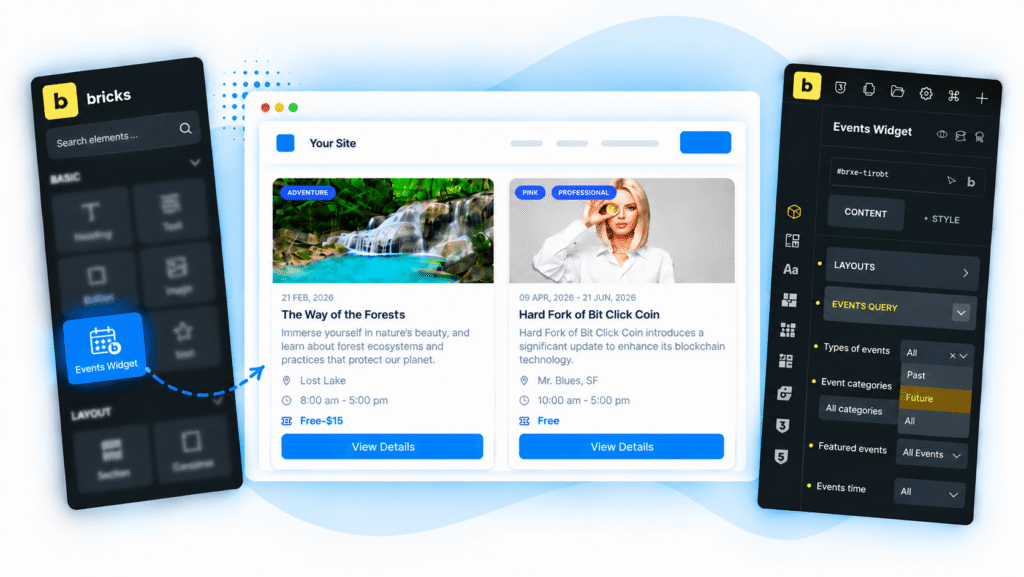
Native Bricks Element
Add Events Widget Element
- Add the Events Widget Element to any Bricks page or template with a simple drag and drop.
- Show upcoming events, featured events, or choose custom events.
- Adjust the event layout and design without leaving the Bricks editor.
Layout Settings
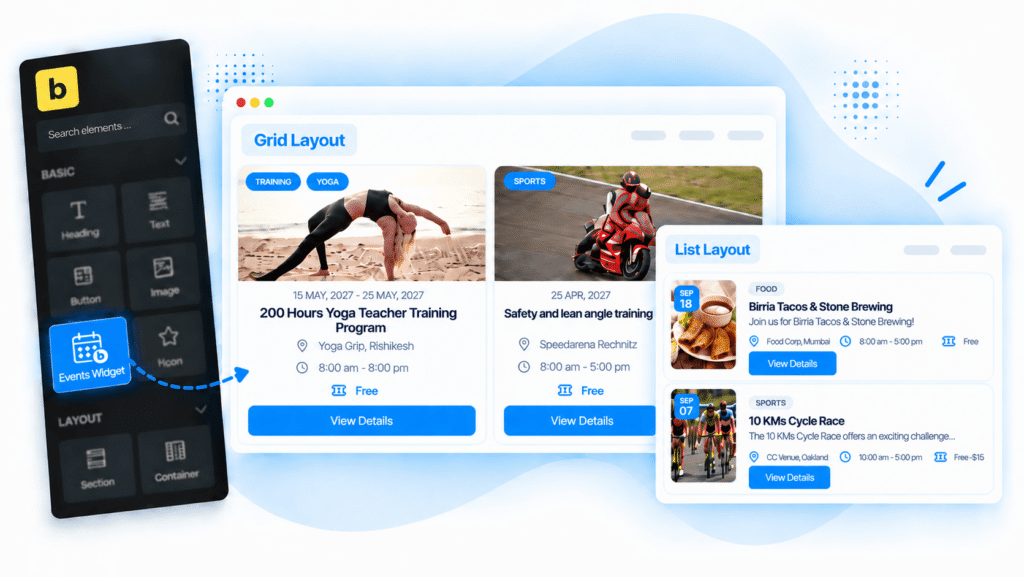
Premade Events Layouts
Display events inside Bricks Builder using advanced layouts options:
- List Layout
- Grid Layout
Display Options
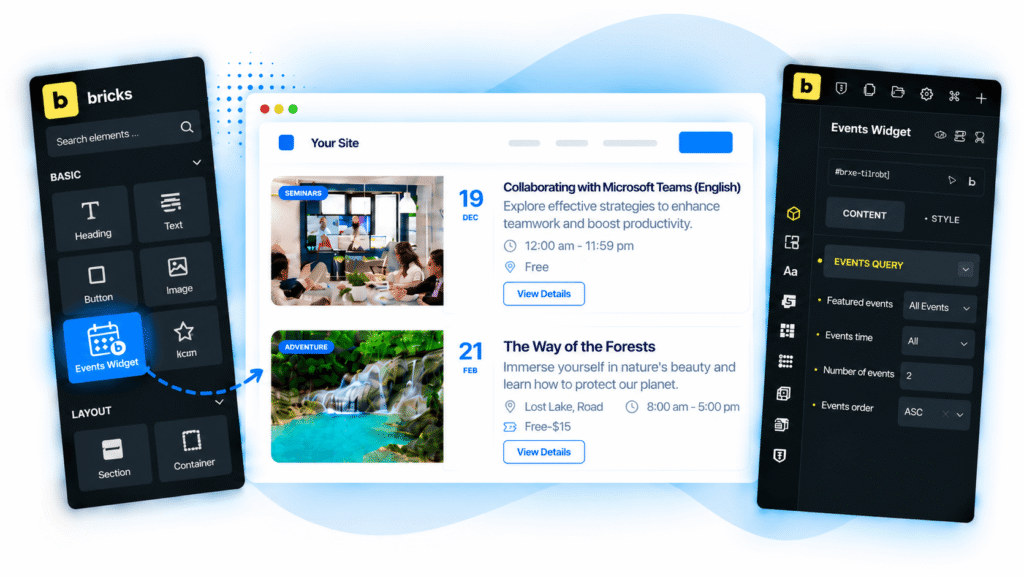
Events Query Settings
- Choose to display upcoming, past, or all events.
- Filter events by category or featured status to show relevant event listings.
- Set a date range, number of events, and display order directly inside Bricks Builder.
Real Feedback from Our Plugin Users
Our WordPress plugins are trusted for their quality, compatibility and excellent customer support.
Frequently Asked Questions
Find quick answers about customizing and dislaying The Events Calendar inside Bricks Builder.
Can I display The Events Calendar events in Bricks Builder?
Yes. Events Shortcodes Pro adds an Events Widget Element for Bricks Builder, so you can display and customize your events directly inside the Bricks editor.
Do I need Events Shortcodes Pro for Bricks Builder support?
Yes. The Bricks Builder integration is available with Events Shortcodes Pro.
Which event layouts can I use in Bricks Builder?
You can display events using List or Grid layouts and then customize the appearance based on your site design.
Can I choose which events are displayed?
Yes. You can show all, upcoming, or past events and also filter events by category, featured status, date range, number of events, and display order.
Can I add or remove event details from the event card?
Yes. You can add event parts using the Add Event Part option and control which details appear in your event layout.
Does the Events Widget Element support pagination?
Yes. You can enable pagination and choose between standard pagination and a Load More button.
Can I show a message when no events are available?
Yes. You can add a custom message such as “There are no upcoming events.” when no matching events are found.